




CaptchaWare Online: Rapid-Fire Puzzle Challenges
Play CaptchaWare instantly in your browser - No download required!
Share CaptchaWare with Friends!
Discover More CaptchaWare


What Is CaptchaWare?
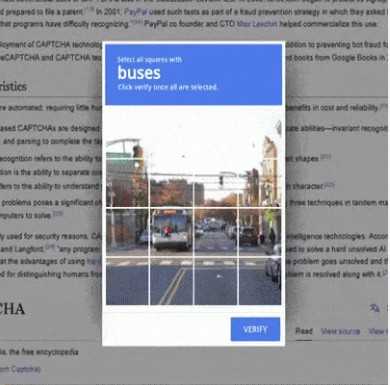
CaptchaWare turns familiar CAPTCHA-style challenges into a rapid-fire puzzle sprint. Each bizarre little test demands a quick read and a sharper response before the next one appears.
How to Play CaptchaWare
Read the Challenge
Take a quick look at each strange CAPTCHA prompt and figure out what it is asking. The game wastes no time waiting around.
React Quickly
Make your choice as soon as the answer clicks. Speed matters, but a rushed guess can send the run sideways.
Handle the Weird Stuff
Expect the challenges to get increasingly silly and unpredictable. Keep your attention locked on the current test instead of the last mistake.
Keep the Run Alive
Complete as many rapid challenges as you can in one flow. A clean streak feels great until the next ridiculous prompt arrives.
Chase a Better Score
Replay to sharpen your reactions and beat your previous performance. Familiarity helps, though CaptchaWare still enjoys throwing curveballs.
Play CaptchaWare Without a Download
Open CaptchaWare in your browser and jump straight into the next bizarre CAPTCHA challenge. There is no installation to manage, so you can start a quick run whenever the puzzle mood strikes.
CaptchaWare Tips and Tricks
Read Before Reacting
The challenges move quickly, but clicking at random is rarely a winning plan. Give the prompt a fast, focused read before responding.
Scan the whole challenge before making your choice.
Protect Your Rhythm
A single mistake can make the next prompt feel even more frantic. Keep your attention on the current task and reset mentally after a miss.
Treat every new prompt as a fresh start.
Expect Curveballs
CaptchaWare thrives on strange requests and sudden changes in pace. Stay flexible when a familiar-looking challenge takes an unexpected turn.
Do not assume the next test works like the last one.
Practice the Early Steps
Repeated runs help you get faster at recognizing what each prompt wants. Once the opening feels automatic, you can save more focus for the tougher moments.
Use short rematches to improve your first responses.
CaptchaWare Features
Rapid-Fire Microgames
Short challenges arrive one after another, keeping every moment busy. There is barely enough time to wonder what just happened.
Bizarre CAPTCHA Prompts
The familiar verification idea gets twisted into oddball puzzle situations. Expect the ordinary format to behave in very silly ways.
Arcade-Style Pressure
Quick decisions and rising tension give each attempt an old-school arcade feel. One hesitant moment can break your rhythm.
Skill-Based Challenges
Success comes from paying attention, recognizing the task, and reacting cleanly. Practice makes the strange prompts easier to process.
Easy to Replay
Runs are compact enough for a quick break or several rematches. The real trap is saying you will play just one more attempt.
Why Play CaptchaWare?
Quick Brain Workout
CaptchaWare makes you read, decide, and react in a tight little loop. It is a lively way to wake up your attention.
Ridiculously Strange Prompts
The CAPTCHA setup takes familiar verification ideas somewhere delightfully odd. Half the fun is seeing what the next challenge thinks is reasonable.
Great for Short Sessions
A run fits neatly into a spare minute or two. The restart button becomes dangerously tempting once you are chasing a cleaner attempt.
Simple to Learn
You can understand the basic goal quickly and spend your time improving your responses. The challenge comes from the pace and variety.
Replay for a Better Run
Every failed attempt gives you another shot at staying calm and moving faster. Small improvements feel satisfying when the prompts get chaotic.
CaptchaWare FAQs
What is CaptchaWare?
CaptchaWare is a fast-paced puzzle game built around bizarre CAPTCHA-inspired microchallenges. You must process each prompt and respond before the pressure catches up.
Is CaptchaWare free to play?
Yes, you can play CaptchaWare online in your browser without paying for a play session.
Can I play CaptchaWare unblocked?
CaptchaWare is designed for browser play, so it can be a handy choice when you want a quick puzzle game on an available gaming site.
What kind of game is CaptchaWare?
It is a puzzle and skill game with a strong arcade rhythm. The challenges are tiny, strange, and built around fast decisions.
Do the challenges change during a run?
The game serves up a succession of different CAPTCHA-style tests, so you need to stay ready for the next odd request.
Is CaptchaWare difficult?
The basic idea is easy to understand, but the speed and unusual prompts make accurate play surprisingly demanding.
How long does a game take?
Individual attempts are built for quick sessions. You can fit a run into a short break and immediately try again.
Does CaptchaWare require fast reactions?
Yes, quick reactions help, especially when several challenges arrive in rapid succession. Careful reading still matters because speed alone can lead to silly mistakes.
Can beginners play CaptchaWare?
Absolutely. The premise is simple to pick up, and repeated attempts help new players learn how to read the prompts faster.
Is CaptchaWare good for replaying?
Yes, compact runs make it easy to chase a better result. The mix of speed and weird prompts keeps familiar challenges from feeling completely routine.
Does CaptchaWare have an arcade feel?
It does. The constant stream of short tests, pressure to respond, and focus on performance give it a lively arcade vibe.
Can I play CaptchaWare in a browser?
Yes, CaptchaWare is made for jumping into a browser and starting a quick puzzle run.