




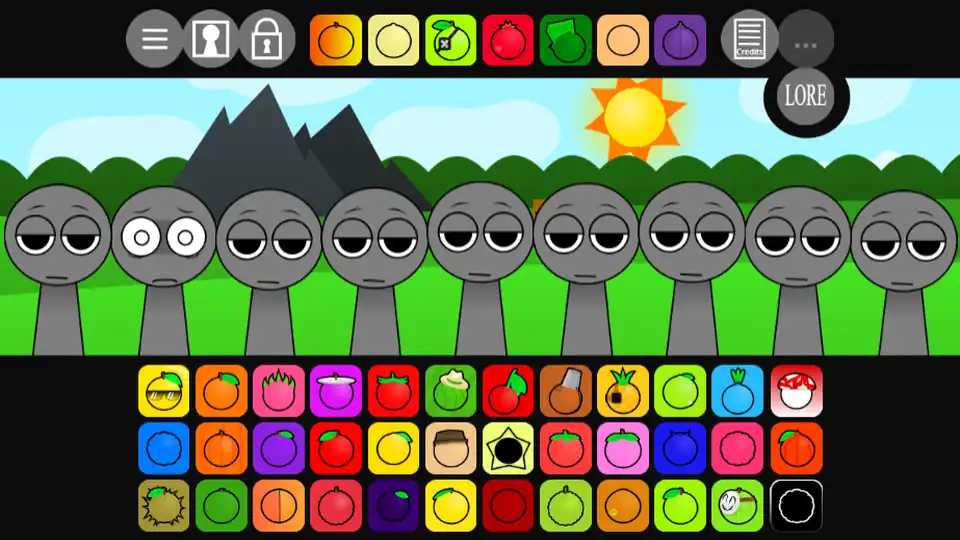





Welcome To The Garden - Chill Puzzle Simulation Online
Play Welcome To The Garden instantly in your browser - No download required!
Share Welcome To The Garden with Friends!
Discover More Welcome To The Garden


What Is Welcome To The Garden?
Welcome To The Garden is a laid-back simulation puzzle game that drops you into a quiet little patch of nature where growing, tinkering, and figuring things out is the whole point. There's no rush, no combat, no pressure - just plants, surprises, and a steady trickle of small "ohhh, I get it" moments. Think of it as a cozy brain-tea instead of a brain-burner.
How To Play
Pick Your Plot
You start in your own slice of garden. Take a sec to look around and see what's already growing or sitting around - the layout hints at what to try first.
Interact With Everything
Click, drag, and tap objects to see what happens. Plants, tools, and odd little items all respond in different ways, so poke around freely.
Solve Garden Puzzles
Most goals involve figuring out the right order or combination - plant the right seed, water at the right time, place an item where it belongs.
Discover New Things
Completing puzzles unlocks new seeds, areas, and tools. The garden keeps opening up the more you mess with it, which is half the fun.
Take It Slow
There's no timer chasing you. Wander, retry, experiment - the game rewards poking around more than rushing through.
Play Instantly In Your Browser
Welcome To The Garden runs straight from your browser, so there's nothing to install or update. Just open the page, wait a couple seconds for it to load, and you're already in the garden. Perfect for quick breaks between homework, meetings, or whatever else you're putting off.
Tricks & Tips For Welcome To The Garden
Start By Exploring Everything
Before solving anything, click around your starting area. Lots of early clues hide in objects you wouldn't normally bother with.
Hover over plants and items first - some react in unexpected ways.
Don't Rush The Order
Most puzzles reward patience and the right sequence. Trying things randomly works, but slowing down saves you undoing mistakes.
Take a screenshot when something works so you can recreate it later.
Keep Unlocking New Tools
New tools unlock new interactions, and old puzzles sometimes become solvable only after you grab a later item.
If you're stuck, finish one more puzzle to see if a new tool appears.
Revisit Old Spots
Areas that seemed empty early on often light up once you've progressed. Going back is part of the game.
After every few unlocks, walk back through earlier sections for surprises.
Game Features
Peaceful Nature Vibes
Soft visuals and quiet sounds make the whole thing feel like a calm afternoon. Perfect background gameplay while you half-watch something else.
Gentle Puzzle Design
Puzzles are clever but never mean. Most can be figured out by trying stuff, so you won't hit a wall that ruins the mood.
Growing Garden System
Your garden actually changes as you play - new plants sprout, new spots unlock, and the place feels different the longer you stick with it.
Plenty Of Discovery
Hidden items and little surprises pop up if you keep clicking around. There's always something you probably missed.
Browser-Based Sim
Runs straight in your browser with no downloads. Load it up, play a few minutes, close the tab, come back tomorrow - same save.
Why Play Welcome To The Garden
Actually Relaxing
Most "relaxing" games still want something from you. This one just wants you to hang out in a garden and figure stuff out at your own pace.
Puzzles Without Pressure
The brain-teasers feel rewarding without ever being punishing. You'll get stuck, smile, and figure it out five minutes later.
Grows With You
Your garden changes the more you play, so each visit feels a little different from the last one.
Instant Browser Play
No downloads, no installs, no waiting. One click and you're standing in your garden ready to go.
Surprisingly Satisfying
That little hit of "I figured it out" when a puzzle clicks is the whole appeal, and it delivers consistently.
Frequently Asked Questions
Is Welcome To The Garden free to play?
Yep, the browser version is totally free. Just load the page and start clicking plants.
Do I need to download anything?
Nope. It's a browser game, so it runs on the page itself with no installer or extra files.
What kind of game is Welcome To The Garden?
It's a simulation puzzle hybrid - relaxing and creative, with light brain-teasers woven into the gardening.
Is it good for kids?
Definitely family-friendly. Nothing scary, no violence, just plants and gentle problem-solving.
Can I play on a Chromebook?
Yes, since it runs in the browser, Chromebooks handle it fine as long as you've got a decent internet connection.
Is there a time limit?
No timers or pressure at all. Play for five minutes or five hours, the garden waits for you.
Do I need a strong PC?
Not really. It's a lightweight browser game, so even older laptops and school computers can usually run it.
How do I save my progress?
Progress saves through your browser session, so avoid clearing site data if you want to keep your garden going.
Are there different levels or chapters?
It unfolds more like an expanding garden than strict levels - new areas and plants open up as you solve puzzles.
Is Welcome To The Garden unblocked?
Yes, the version on our site works as an unblocked browser game, so you can play at school or work where allowed.
Can I play on mobile?
It plays on mobile browsers, though a bigger screen makes the puzzles a bit easier to work with.
Is there multiplayer?
It's a single-player experience focused on solo, chill play rather than competing with others.
How long is the game?
Depends on how curious you are. A casual playthrough is short, but completionists will find plenty to poke at.
Do I need sound?
Sound adds to the cozy vibe but isn't required. You can play with it off and still enjoy everything.