






Play Knife Master Online and Find Your One-Button Rhythm
Play Knife Master instantly in your browser - No download required!
Share Knife Master with Friends!
Discover More Knife Master

Sausage Battle

Cursor Camp

Color Surfer

The Archives of Trevosa

Maptap

Rooster Road

COBB CAN MOVE

Long Leg Master

Poppy Playtime Chapter 5

Farting Flight

FNF Hazier River: Smoke ‘Em Out Struggle

School Fury

Wobbly Pets

FNF Nocturnal Protocol Mod

Speed Slope

Arrow Arena

Statle

Duck Life 4

Meowdoku

Kick the Buddy
What Is Knife Master?
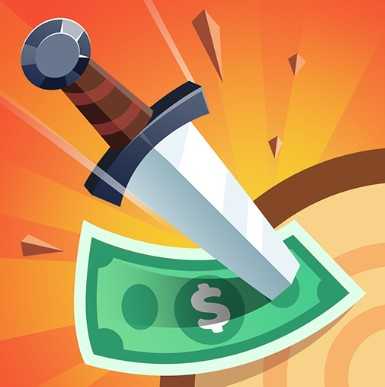
Knife Master is a casual arcade game where you steer a flying blade through levels with a single button. The controls click pretty quickly, and then you get to find out how good your timing actually is.
How to Play Knife Master
Get a Feel for the Button
Make a deliberate press and watch how the blade responds. That first bit of feedback gives you something to work with.
Glance Ahead
Keep an eye on where the blade is headed. Give yourself a moment to decide when to steer.
Find Your Pace
Space out your presses as you guide the blade through the level. A little patience helps when your instinct is to press again right away.
Adjust on the Next Try
If a section keeps tripping you up, remember where the blade was when you pressed. Try pressing a little earlier or later when you reach that spot again.
Knife Master FAQs
Can I play Knife Master online?
Yes. You can play Knife Master in your browser right from this page.
Does Knife Master need an install?
You can start in your browser without installing anything.
What am I controlling?
You steer a flying blade as it moves through each level.
How many buttons does Knife Master use?
One button handles the steering.
Is Knife Master easy to learn?
The input is simple enough to pick up quickly. Getting consistent with it takes practice.
What gives the game its rhythm feel?
As you watch the blade move, you'll start to feel when it's time for another press. The rhythm comes from spacing those inputs.
What counts as clearing a level?
Guide the blade all the way through the level.
What should I focus on in my first run?
Watch what the blade does just after you press. Seeing that response makes the next move easier to judge.
Why do I keep missing the same move?
Your press might be coming a beat too soon or too late. Pick one direction to adjust and see where the blade ends up.
Is it worth playing if I only have a few minutes?
Sure. A few minutes is enough to get a feel for the button and take a crack at a level.
Small Timing Tricks
Use a Visual Cue
A spot you can see on screen makes it easier to judge where the blade was when you pressed.
Pick a spot to watch before a tricky move.
Change One Press
Changing every press on a retry makes it hard to tell which adjustment helped.
Move one troublesome press a little earlier.
Shake Off a Rushed Run
After a close call, it's easy to carry that frantic pace into your next attempt.
Take a breath before you start again.
Why Give Knife Master a Go?
Get Moving Right Away
With one button to learn, you can spend your first run playing instead of checking a control list.
Feel a Close Call Turn Clean
There's a little rush when a move you've been fumbling finally comes off exactly when you meant it to.
Settle Into the Rhythm
Once you get comfortable watching the blade, you can start anticipating the next moment to steer.
Give That One Spot Another Go
A messy stretch gives you a reason to try again, especially when you already know which press you'd change.
Play Straight From Your Browser
Open Knife Master right here and start your first run in the browser. There's nothing to download or install, so you can get straight to figuring out that first press.
What You Get in Knife Master
One-Button Steering
The same button handles every steering move, so you can get the hang of the input on your first attempt.
A Blade in Flight
You're guiding a blade that's already moving, which makes where it is at the moment you press part of the challenge.
Level-Based Play
You steer your way through levels, giving each attempt a clear goal.
A Rhythm You Can Feel
Once you settle into the motion, the pause between presses starts to feel as deliberate as the press itself.